
Why High-Resolution Thumbnails Matter for Click-Through Rates: An SEO Guide
In the highly competitive ecosystem of online video streaming, content creators dedicate countless hours to scripting, filming, and polishing their media assets. Yet, even if a video contains Hollywood-level editing or industry-shifting information, it runs the risk of dying in absolute obscurity if nobody ever clicks on it. When a user scrolls through a crowded search page or a recommendation feed, they do not see your timeline complexity; they make a split-second evaluation based entirely on two elements: your video title and your video thumbnail.
A thumbnail functions as the digital billboard for your content. It is the primary visual hook designed to capture wandering eyes and entice viewers to pause mid-scroll. For serious content creators, digital marketers, and web developers, understanding the technical specifications, psychological design triggers, and backend file optimizations behind a high-resolution thumbnail is the literal baseline for driving sustainable organic traffic.
1. The Direct Impact of CTR on the Recommendation Algorithm
Click-Through Rate (CTR) is a foundational metric used by video search engines to score the performance of a newly published file. CTR is calculated using a simple relationship:
CTR (%) = (Total Clicks / Total Visual Impressions) x 100
When you first upload a clip, the search algorithm distributes it to a small, controlled test audience of impressions. If a high percentage of those initial users click on the image, the algorithm treats it as a signal that the content is highly engaging and expands its reach to a broader consumer pool.
If your thumbnail is blurry, low-contrast, or poorly proportioned, users will scroll straight past it. A low CTR signals to the system that the content is either uninteresting or irrelevant, causing the video to sink to the bottom of search index ranks regardless of how good the internal audio or video editing actually is. Algorithms reward satisfying user intent, and the thumbnail is the gateway to that satisfaction.
2. The Technical Blueprint of a Professional Thumbnail
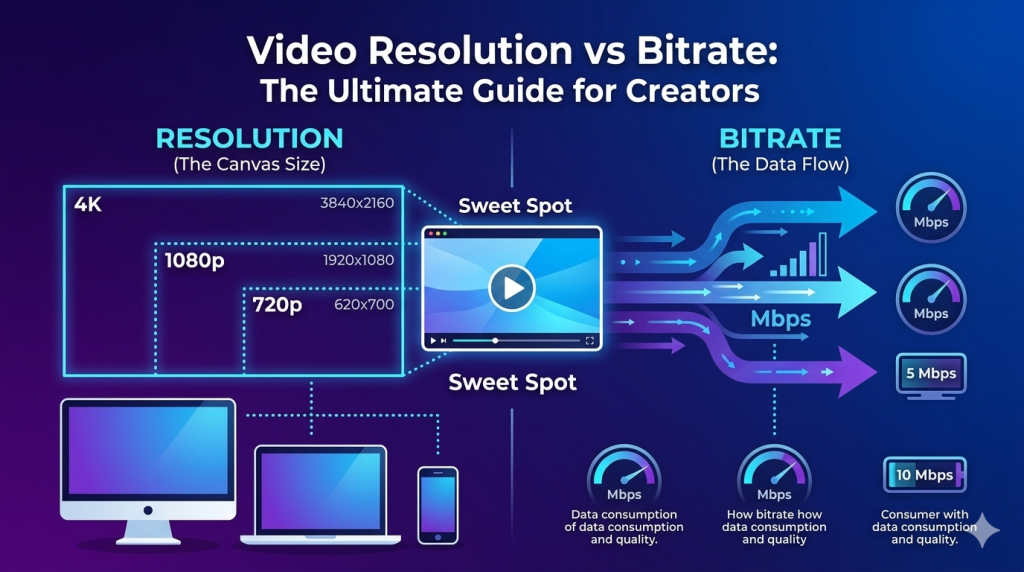
Many novice creators make the mistake of saving their custom thumbnails using arbitrary canvas dimensions or exporting them directly from mobile frames without verifying the final output criteria. To ensure your graphics look pixel-perfect across all screen formats—from massive 4K desktop screens down to standard mobile application interfaces—you must adhere strictly to established digital media dimensions:
-
Recommended Resolution: 1280 x 720 pixels.
-
Aspect Ratio: 16:9 (The universal layout for standard horizontal web players).
-
Minimum Width: 640 pixels (Anything lower triggers noticeable stretching and visual distortions).
-
Supported File Formats:
.png,.jpg, or.gif. -
Maximum File Weight: 2MB (Files exceeding this weight limit will be automatically rejected by the asset uploader).
Exporting your design at the maximum allowable 1280 x 720 resolution ensures that the text and imagery remain crisp when scaled down into minor preview windows or expanded into high-definition embeds across third-party blogs.
3. The Psychology of Visual Hooks: Designing for the Human Brain
Understanding the technical specs is only half the battle; you also need to understand how the human eye processes visual information in a fraction of a second. When users are scrolling quickly, their brains are actively filtering out boring or repetitive images. To break through this mental filter, professional designers rely on specific psychological triggers.
First, human faces drive immediate emotional connection. If your thumbnail features a face, ensure the expression matches the core emotion of the video—whether that is surprise, curiosity, anger, or joy. Crucially, make sure the eyes are looking directly forward or toward the main subject matter of the thumbnail, as this naturally guides the viewer’s gaze to the most important part of the graphic.
Second, avoid visual clutter at all costs. A common mistake is trying to cram an entire scene or a long sentence into a small thumbnail. When scaled down on a mobile screen, busy images become completely unreadable. Stick to a single, clear subject and remove distracting background objects using clean separation tools or slight background blurs.
4. Studying Niche Leaders: Why Competitor Analysis is Critical
Building a winning visual brand requires regular market research. Professional digital strategists do not design graphics in a vacuum; they systematically study what is already working for top-tier creators within their specific niche.
By utilizing online archive utilities, developers and marketers can easily extract and download the raw, original maximum-resolution thumbnails from successful competitor channels. Downloading these assets lets you analyze layout choices, study typography structures, and map out color patterns without the interference of overlapping player icons or interface text.
When analyzing successful competitor assets, look for these three recurring design philosophies:
-
The Rule of Thirds: Key visual focal points (like human faces or primary subject matters) are positioned along the left or right vertical thirds of the canvas, leaving the remaining space clear for readable titles.
-
High-Contrast Color Grading: Utilizing complementary background pairs—such as bright yellows against deep blues or vibrant oranges against charcoal grays—makes the graphic visibly pop against the standard white or dark modes of video player feeds.
-
Typography Limitations: Limit text overlays to a maximum of 3 to 5 words using thick, clean, sans-serif fonts. Scripted or overly thin fonts completely dissolve into unreadable blurs when viewed on small mobile displays.
5. Advanced Compression and File Optimization Techniques
While keeping your image sharp is vital, backend performance matters just as much for web managers. When you download competitor thumbnails for analysis or upload your own graphics to a web page, file optimization plays a massive role in overall page speed. Large, unoptimized image assets slow down site rendering, which hurts your core SEO health scores.
To balance visual clarity with swift loading times, professional web developers use specific compression pipelines. Converting large, heavy .png assets into optimized, progressive .jpg formats can reduce file weights by up to $70\%$ without noticeable quality loss. Additionally, stripping out hidden metadata and unused color profiles ensures that your graphics load instantly on mobile connections, keeping bounce rates low and user engagement high.
6. Best Practices for Impressions
To transform your media previews from generic, ignored boxes into powerful traffic engines, stick to these core layout rules:
Never Use Autogenerated Frames:
Video platforms will offer to pick a random still frame from your timeline. These frames are almost always blurry, awkward, and devoid of context. Always upload a dedicated, custom-made graphic asset.
Ensure Truth in Packaging:
Avoid creating extreme clickbait graphics that have zero connection to the actual content of your video. While this might trigger a brief, temporary spike in clicks, it destroys user retention scores, which will cause the system to drop your impressions rank.
Test on Multiple Screen Scales:
Before publishing your final asset, scale your design down to $10\%$ size on your screen. If you cannot easily read the text overlay or identify the main subject at that micro-scale, go back and increase the text size or object contrast.
Leverage Free Web Tools:
Use fast, lightweight online platforms to grab competitor templates for layout inspiration, verify font scales, and handle file format translations without burdening your computer with unnecessary local system software.
Want to analyze successful media graphics in your niche or save inspiration templates for your next project? Use our completely free YouTube Tools Online to extract and download maximum resolution video assets instantly with one click.
A realistic professional digital design workspace. On a sharp laptop screen, a YouTube video thumbnail is being edited in a graphic design application. The layout features bright high-contrast colors (vibrant orange and deep gray) using the rule of thirds, with a clear human face on one side and a thick, bold sans-serif text overlay. Next to the laptop on a clean wooden desk sits a modern camera lens, a smartphone displaying a video channel dashboard with analytics graphs, and a neatly written notepad detailing “CTR Checklist: 1280×720, 16:9 ratio, Contrast, Font scale”. Warm, moody office lighting with a sleek desk lamp illuminating the creative workspace environment.