
Why Content Creators Convert Video to MP3: A Guide for Audio and Podcast Editors
In the modern digital landscape, video is often crowned as the king of content. From long-form documentary essays to rapid-fire vertical clips, visual media dominates our daily social feeds. Yet, behind every successful video, there is an equally critical component that often goes unnoticed until it goes wrong: the audio track. For audio engineers, podcasters, radio producers, and multimedia content creators, pulling the visual data away from a file to leave a pristine, isolated audio stream is an essential daily task.
While it might seem simple on the surface, extracting an MP3 file from a rich video container involves a deep understanding of media compression, storage optimization, and production workflows. Understanding why, when, and how to execute this translation efficiently can make or break a creator’s post-production timeline.
1. Streamlining the Podcast Production Workflow
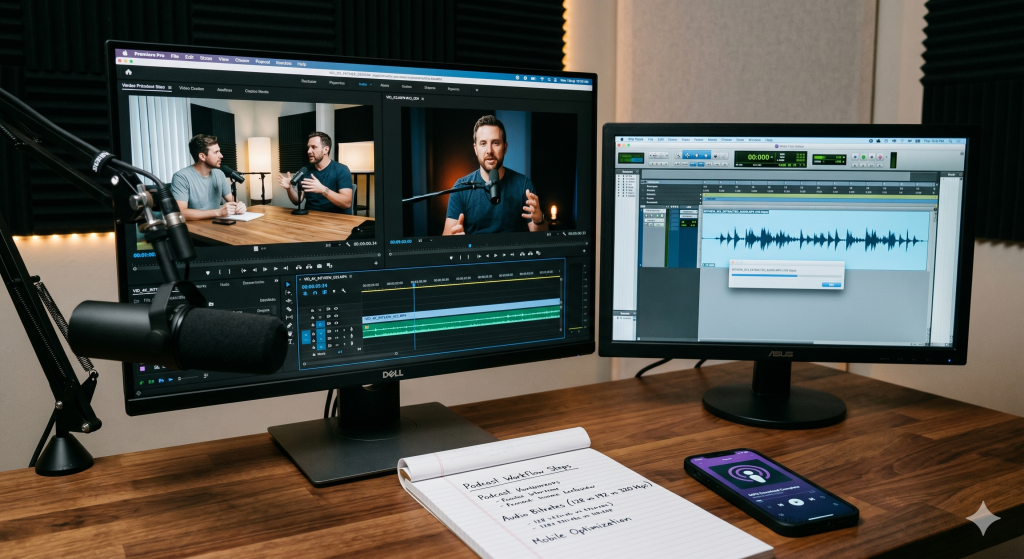
The global rise of video podcasting has completely changed how long-form interviews are recorded and consumed. Programs are regularly filmed with multi-camera setups, generating massive video files that easily scale into tens or hundreds of gigabytes. However, during the initial rough-cut editing and audio mixing phases, loading multiple 4K video streams into a Digital Audio Workstation (DAW) like Pro Tools, Audacity, or Adobe Audition is completely unnecessary.
DAWs are built to manipulate sound waves, not process high-resolution pixels. Trying to scrub through a heavy video timeline inside an audio program places a massive, redundant tax on a computer’s CPU and RAM.
To bypass this hardware bottleneck, professional audio editors instantly convert the raw video files into highly compressed, lightweight MP3 files. These sound-only files can be imported into editing software in seconds, allowing the engineer to cut out filler words, balance background volumes, and apply noise removal filters without a single stutter or software crash. Once the master audio track is perfectly polished, it is exported and synced back up to the original video file inside a video editing suite.
2. The Power of Mobile Storage Optimization
For regular internet consumers and field researchers, downloading full video clips simply to listen to a lecture, a motivational speech, or an educational seminar is a massive waste of local device storage. A standard one-hour talk rendered in 1080p resolution can easily take up 1GB to 2GB of data space.
By converting that video file down into a high-quality MP3 format, that exact same one-hour lecture shrinks down to roughly $60\text{ MB}$ to $90\text{ MB}$. This dramatic reduction allows users to archive hundreds of hours of educational audio, language lessons, and ambient workspaces directly onto their smartphones or tablets without constantly hitting storage limit warnings.
3. Understanding Audio Bitrates: Finding the Sweet Spot
Just like video files rely on a continuous flow of pixel data, digital audio relies on an internal bitrate to maintain its fidelity. Audio bitrate is measured in kilobits per second (kbps). When extracting an MP3 from a video source, choosing the correct target parameter is essential:
-
128 kbps (Standard Quality): This is the baseline setting for spoken word audio, talk radio, and basic podcasts. It keeps the file size remarkably small while ensuring the human voice remains perfectly legible and clear.
-
192 kbps (High Quality): A highly versatile setting that acts as the sweet spot for general media consumption. It introduces crispness to vocals and handles background sound elements beautifully without letting the file weight balloon.
-
320 kbps (Pristine/Ultra Quality): The maximum quality limit supported by the standard MP3 format. It is highly recommended for acoustic tracking, musical elements, and complex sound designs where every subtle layer of frequency needs to be perfectly preserved.
To determine the final weight of an uncompressed audio extract, creators rely on the structural relationship of sample rates and bit depths across time:
By applying lossy compression matrices like MP3 algorithms to this data stream, the software strips away sound frequencies that are completely imperceptible to the human ear, shrinking the footprint while protecting the overall auditory experience.
4. Creating Multi-Platform Micro-Content
We live in an era of content repurposing. A single long-form piece of media must be broken apart into multiple micro-assets to maximize its algorithmic reach across the web. A single interview might find a home as a video on YouTube, an audio track on Spotify, and a series of brief text quotes on social media.
Extracting a clean MP3 is the very first step in this translation chain. Once the audio track is separated from the master video, creators can feed the lightweight file into automated AI transcription tools to generate written show notes, blog posts, or closed-caption scripts. Trying to upload a massive 5GB raw video into an online transcription engine would cause long upload delays, whereas a nimble MP3 processes almost instantly.
5. Summary Guidelines for Media Editors
To make sure your audio extraction workflow stays clean and professional, implement these simple baseline practices:
-
Always check your original source quality. Converting a terribly recorded, muffled video clip will not miraculously make it sound better in MP3.
-
Choose your bitrates carefully based on intent. Use 128 kbps for simple human speech to save space, and stick to 320 kbps if the track contains rich music beds.
-
Use safe, browser-based web tools to process your conversions instantly rather than cluttering your operating system with bloated, system-slowing background software.
“Need to strip the audio out of a video file for your next podcast episode or study session? Use our completely free YouTube Tools Online to extract high-quality MP3 files in just a couple of clicks.”