
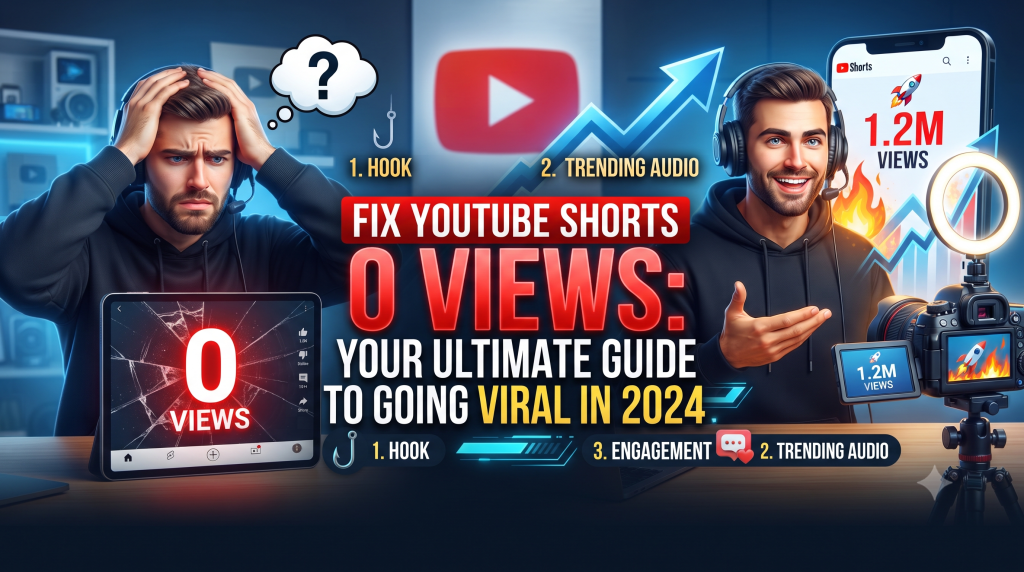
There’s nothing quite as deflating for a creator as pouring effort into a YouTube Short, uploading it with high hopes, only to see that dreaded “0 views” counter staring back. You’re not alone. Many aspiring YouTubers and even seasoned creators occasionally encounter this frustrating hurdle. It can feel like your content is shouting into the void, but the good news is that this isn’t usually a permanent state. In fact, understanding why your YouTube Shorts get 0 views is the first crucial step toward turning things around. This comprehensive guide will not only help you diagnose the problem but also equip you with actionable strategies to fix YouTube Shorts 0 views and propel your content into the viral stratosphere.
Why Do Your YouTube Shorts Get 0 Views? (The Root Causes)
Before we dive into solutions, let’s pinpoint the common culprits behind those stagnant view counts. Often, it’s a combination of factors rather than a single issue. Identifying these problems is essential for crafting an effective strategy to revive your Shorts.
Initial Upload Glitches or Processing Delays
Sometimes, the “0 views” count is merely a temporary display issue. YouTube’s systems need time to process and index new videos, especially during peak upload times. Occasionally, a minor glitch can also prevent immediate distribution. If your Short has just been uploaded, give it a few hours before you start panicking. Check your YouTube Studio to ensure the video status is “Public” and there are no processing errors or copyright strikes.
Algorithm Misunderstanding Your Content
The YouTube algorithm is incredibly sophisticated, yet it still needs clear signals to understand what your Short is about and who might enjoy it. If your title, description, and tags are vague or irrelevant, the algorithm struggles to classify your content. Consequently, it won’t know which audience to push your Short to, leading to minimal or no initial impressions and, thus, 0 views.
Low-Quality or Repurposed Content (Without a Twist)
The Shorts feed is highly competitive. If your content is blurry, has poor audio, or looks like it was hastily thrown together, viewers will swipe past it almost instantly. Furthermore, simply re-uploading TikToks or Instagram Reels without any optimization for YouTube’s audience or adding unique value often falls flat. YouTube prioritizes original, high-quality, and engaging content tailored for its platform.
Poor Audience Retention
Even if your Short gets a few initial impressions, if viewers swipe away within the first second or two, YouTube quickly learns that your content isn’t captivating. High audience retention is a massive signal to the algorithm that your Short is engaging. If your retention rates are consistently low, YouTube will stop pushing your video to more viewers, effectively trapping it at 0 views.
Inconsistent Upload Schedule
Consistency signals dedication and helps YouTube understand your content cadence. Sporadic uploads make it difficult for the algorithm to build a profile for your channel and predict when new content will arrive. While not a direct cause of 0 views, inconsistency can hinder your overall channel growth and the organic reach of your individual Shorts.
Lack of Strategic Promotion
While YouTube Shorts can go viral organically, sometimes a little nudge is needed. If you’re not sharing your Shorts on other social media platforms, embedding them in your long-form videos, or even mentioning them to your existing audience, you’re missing out on potential initial traction. These early views can kickstart the algorithm’s distribution.
Fixing YouTube Shorts 0 Views: A Step-by-Step Viral Strategy
Now that we’ve identified the problems, let’s talk solutions. Implementing these strategies will not only help you overcome the 0-view hurdle but also dramatically increase your chances of going viral.
Mastering High-Retention Editing
This is arguably the most critical factor for Shorts success. The goal is to hook viewers immediately and keep them watching until the very end. Here’s how:
- Hook Immediately: The first 1-3 seconds are make-or-break. Start with a question, a bold statement, an intriguing visual, or an action-packed clip that grabs attention instantly. Avoid long intros or slow buildups.
- Keep it Concise and Paced: Every second counts. Trim unnecessary pauses, use quick cuts, and maintain a fast pace. Most viral Shorts are between 15-30 seconds, delivering maximum value in minimal time.
- Engage Viewers Visually: Use dynamic camera angles, text overlays, emojis, and visual effects to keep the screen interesting. Don’t just show a static shot; make your Short visually stimulating.
- Sound Design Matters: Leverage YouTube’s music library for trending sounds or use captivating sound effects. Music can dramatically enhance the mood and engagement of your Short. Just ensure you’re using copyright-free or licensed music.
- Subtle Call to Action: Encourage viewers to like, comment, or subscribe, but integrate it naturally. A quick text overlay or a verbal prompt at the end can work wonders without being overtly salesy.
Unlocking the Power of Trending Hashtags & YouTube SEO
Just like long-form videos, Shorts benefit from strategic optimization. This is where you give the algorithm clear signals.
- Research Relevant Hashtags: Use YouTube’s search bar, trending topics on TikTok/Instagram, or tools to find popular and relevant hashtags in your niche. Mix broad, high-volume tags with specific, niche-focused ones.
- Use 3-5 Relevant, Trending Hashtags: Place these in your Short’s description. Don’t spam. Quality over quantity. Include #Shorts as one of them, but don’t rely solely on it.
- Optimize Title and Description: Craft an engaging title that includes your main keyword (if applicable) and entices clicks. Your description should briefly explain what the Short is about, incorporating relevant keywords naturally.
- Add Relevant Tags in the Backend: In YouTube Studio, utilize the “Tags” section to add keywords related to your Short’s content. Think about what viewers might type to find your video.
Understanding the YouTube Shorts Algorithm
The algorithm’s primary goal is to keep viewers on the platform. It favors Shorts that achieve this through:
- Watch Time and Retention: As mentioned, this is king. The higher your average view duration and percentage watched, the more your Short will be pushed.
- Engagement (Likes, Comments, Shares): These signals tell YouTube that your content resonates with viewers. Encourage interaction without being pushy.
- Consistency: Regular uploads help the algorithm understand your niche and audience, leading to more consistent distribution.
- Audience Feedback: If viewers are actively searching for your content or subscribing after watching your Shorts, these are strong positive signals.
Repurposing Content Smartly (Not Lazily)
If you’re using content from other platforms, don’t just re-upload. Adapt it:
- Re-edit for YouTube: Change the pacing, add YouTube-specific text overlays, or use trending YouTube audio.
- Add a YouTube Hook: Start with an engaging intro tailored for the YouTube audience.
- Utilize YouTube Features: Add polls, quizzes, or interactive elements if available, to boost engagement.
Promoting Your Shorts Beyond the Feed
Give your Shorts an initial boost:
- Share on Other Platforms: Post a link to your Short on Instagram Stories, TikTok (with a different hook), X (Twitter), or Facebook.
- Embed in Long-Form Videos: Briefly mention your Shorts in your regular YouTube videos and add a card or end screen linking to them.
- Community Tab: If you have access, share your Shorts on your YouTube Community Tab to alert your existing subscribers.
Common Mistakes to Avoid When Creating Shorts
Even with a solid strategy, certain pitfalls can derail your Shorts’ performance. Steer clear of these common errors to maximize your chances of success.
- Ignoring the First 3 Seconds: This cannot be stressed enough. A bland or slow opening is a death sentence for a Short. Grab attention immediately.
- Not Adding Captions or Text Overlays: Many people watch Shorts with the sound off, especially in public. Captions ensure your message is conveyed, and text overlays add visual interest and emphasize key points.
- Using Copyrighted Music Incorrectly: While YouTube offers a vast audio library, using popular music without proper rights can lead to muting or even strikes, severely limiting your Short’s reach. Stick to YouTube’s approved library or royalty-free options.
- Spamming Irrelevant Hashtags: Stuffing your description with dozens of unrelated hashtags confuses the algorithm and can even penalize your content. Be precise and relevant.
- Neglecting Your Target Audience: Are you making content that truly resonates with the viewers you want to attract? Understand their interests, pain points, and what kind of content they enjoy watching on Shorts. Generic content rarely goes viral.
Encountering 0 views on your YouTube Shorts can be incredibly disheartening, but it’s rarely a sign that your content isn’t good enough. More often, it points to a disconnect in strategy or a misunderstanding of how the platform works. By applying the insights and actionable steps outlined in this guide, you now have a powerful toolkit to diagnose and fix YouTube Shorts 0 views. Remember, consistency, high-quality engagement, and smart optimization are your best allies. Don’t get discouraged; instead, learn, adapt, and keep experimenting. Your next viral Short could be just an upload away!