
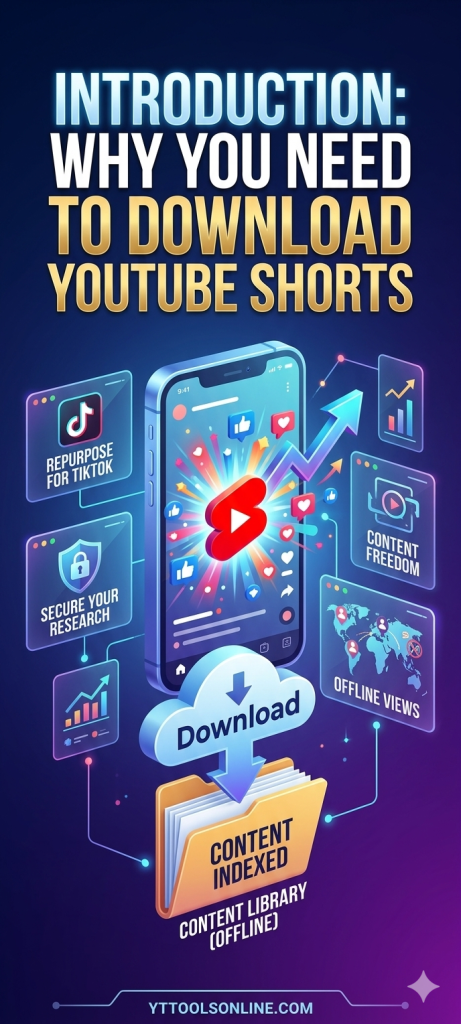
You’re scrolling through Shorts, you hit one you genuinely want to keep — maybe it’s a clip you want to study for your own content, maybe it’s just something you want to watch later without burning data — and you go looking for a download button. There isn’t one. YouTube doesn’t offer a native way to save a Short to your device, which is exactly the gap a proper Shorts downloader tool fills.
This guide walks through how to actually download a Short in full HD, what the quality options mean, how to use downloaded Shorts responsibly, and how to get more out of them than just saving a file — including using them as genuine research material if you’re trying to grow your own channel.
Why People Download Shorts in the First Place
There are a handful of genuinely common, legitimate reasons this comes up:
Studying what’s working in your niche. If you’re trying to grow a channel, seeing exactly how a viral Short in your space is structured — the hook, the pacing, the text overlay timing — is far easier when you can watch it frame by frame offline rather than relying on memory after a single scroll-past.
Saving your own content. It happens more than people expect: a Short goes up, performs well, and months later the creator wants a local backup copy for a portfolio, a client presentation, or just personal archiving, and the original upload file is long gone from their device.
Offline viewing. Not everyone has reliable data or wifi at all times, and having a genuinely good Short saved locally for a flight or a commute is a normal, simple use case.
Competitive or market research. Marketers and brands often want to build a reference library of what’s performing in a category before planning their own content strategy.
None of these require anything sketchy — they just require a tool that can actually do what YouTube’s own app doesn’t.
How to Download a Short: The Actual Steps
Using our Shorts Downloader is a short, two-step process:
Step 1: Grab the Short’s URL. Open the Short on YouTube, tap the Share button, and select “Copy link.” That puts the URL on your clipboard.
Step 2: Paste and download. Head to yttoolsonline.com, paste the link into the downloader, and choose your quality option. The download starts immediately — no account creation, no email sign-up wall, no app install.
The whole process typically takes under 30 seconds, and it works the same way whether you’re on desktop or mobile.
What “HD” Actually Means for a Short
This trips people up because Shorts are filmed vertically, so the resolution numbers look a little different than what you’re used to seeing for regular landscape video.
A full HD Short is typically 1080×1920 — the numbers flipped compared to a standard 1920×1080 landscape video, because the height is the longer dimension here. When a downloader offers “1080p” for a Short, this vertical orientation is what it’s referring to.
Here’s a simple breakdown of what each quality tier actually looks like in practice:
1080×1920 (full HD) is the best available quality for most Shorts and the right choice if you’re studying the content closely, using it for a presentation, or want the cleanest possible copy.
720×1280 is still solidly watchable and a reasonable choice if file size matters more than maximum sharpness — saving space on a phone, for instance.
480×854 or lower is fine for a quick, casual rewatch but starts looking noticeably soft if you try to view it on anything larger than a phone screen.
If you’re not sure which to pick, go with the highest resolution the tool offers for that specific Short. You can always compress a file down later if you need to save space, but you can’t add back detail that wasn’t captured in a lower-quality download to begin with.
Downloading the Audio Instead of the Video
Sometimes what you actually want isn’t the video at all — it’s just the audio. Maybe there’s a specific sound bite, a piece of background music, or a voiceover you want to reference separately.
For that, our MP3 Downloader handles the same basic workflow — paste the Short’s URL, select audio format instead of video, choose a bitrate (128kbps is fine for casual listening, 320kbps if audio quality matters more), and download just the sound.
This is genuinely useful for things like referencing a specific quote from an educational Short, saving a piece of trending audio for personal reference, or pulling a voiceover to study pacing and delivery style.
Using Downloaded Shorts for Real Content Strategy
If you’re downloading Shorts purely for research purposes — trying to understand what’s working in your niche — there’s a smarter way to go about it than just watching them once and moving on.
Build an actual swipe file. Download 15-20 top-performing Shorts in your specific niche and organize them somewhere you can revisit — a folder, a reference doc, whatever system works for you. A single video rarely tells you much on its own; a collection of them starts revealing real patterns.
Study the first three seconds specifically. This is where most Shorts win or lose their audience. What’s the very first thing shown? Is there text on screen immediately, or does the creator let the visual speak first? Does the hook ask a question, make a bold claim, or just jump straight into the action?
Notice text overlay timing and placement. Successful Shorts tend to be deliberate about when text appears and disappears relative to what’s being said or shown — rarely just static captions sitting on screen the whole time.
Pay attention to length. Shorts run anywhere up to a few minutes now, but plenty of successful ones are much shorter than the maximum allowed. Note whether top performers in your niche tend to run short and punchy or use the fuller runway available.
Check the metadata too. Pulling the tags and description structure off a well-performing Short (our Metadata Extractor works on Shorts URLs the same way it does on regular videos) rounds out your research beyond just the visual content itself.
The goal with all of this is adaptation, not duplication — noticing genuine patterns in what’s working, then applying those principles to content that’s still authentically yours.
What’s Actually Fine to Do, and What Isn’t
It’s worth being direct about this instead of glossing over it. Downloading a Short for personal offline viewing, private research, or as a backup of your own content is completely reasonable. Re-uploading someone else’s downloaded Short as if it were your own content, stripping out their watermark or credit, or using their work commercially without permission is a different situation entirely, and one worth actively avoiding.
If you want to build commentary or reaction-style content based on someone else’s Short, the general standard is that you need to add genuine, substantial value on top of it — real analysis, real commentary, real transformation of the original — rather than simply re-posting the clip with minimal changes. Giving clear credit to the original creator is always the right move regardless of the specific use case.
Downloading on Desktop vs Mobile
On desktop, the process is slightly more convenient if you’re downloading several Shorts for a research session — bigger screen for organizing files into folders, generally faster processing, and easier to manage a growing collection of downloaded clips.
On mobile, it’s just as functional, just a slightly different flow: open the Short in the YouTube app, tap Share, copy the link, switch to your browser, paste it into the tool, and download directly to your phone’s storage. A file manager app on your phone helps if you’re planning to keep and organize more than a handful of downloads.
Neither approach requires installing any dedicated app beyond your regular browser — everything runs directly on the yttoolsonline.com site itself.
Troubleshooting Common Issues
“Video unavailable” errors usually mean the Short has been deleted, set to private, or the URL was copied incorrectly. Double-check the link and confirm the Short is still publicly viewable.
Lower quality than expected sometimes happens because not every Short is available in the absolute highest resolution tier — this depends on how it was originally uploaded. If a higher option isn’t showing, the creator’s original upload likely didn’t include one.
Slow downloads are most often a connection issue on your end rather than the tool itself. Closing other bandwidth-heavy tabs or trying again in a few minutes usually resolves it.
A file that won’t play afterward is often solved by opening it in a more universal media player like VLC, which handles a wider range of formats than some default device players.
What to Look For Beyond Just the Clip Itself
If you’re serious about using downloaded Shorts as real research material rather than casual viewing, it’s worth going a layer deeper than just watching the video a couple of times. A few specific things are worth tracking deliberately as you build out a research collection:
Trending audio patterns. A surprising number of high-performing Shorts lean on a specific trending sound or piece of music rather than original audio. Noticing which sounds keep showing up across multiple successful Shorts in your niche can point you toward audio choices worth considering for your own content, while it’s still current.
Format distribution. Within any given niche, some creators lean toward pure entertainment, others toward quick tutorials, others toward a talking-head commentary style. Looking across a batch of 15-20 downloaded Shorts often reveals which format is actually dominating the top of that niche right now, which can meaningfully shape what you choose to make next.
Optimal length for your specific space. There’s no universal “best” Short length — it varies meaningfully by niche and content type. A collection of downloaded top performers in your specific category will show you a much more accurate real-world pattern than generic advice ever could.
Building a Simple System So This Doesn’t Become a Mess
If you’re downloading more than a handful of Shorts, a little bit of light organization goes a long way toward actually using this research later instead of it becoming a pile of forgotten video files.
A simple folder structure by niche and month works well for most people — something like a top-level “Shorts Research” folder, with subfolders per topic area, and files renamed with something more descriptive than the default filename (creator name, rough topic, and date is usually enough to make a file recognizable weeks later without having to open it first).
If you’re doing this regularly, even a basic spreadsheet tracking the URL, the creator, a rough view count at the time you saved it, and a short note on why it caught your attention turns a folder of random clips into an actual reference library you’ll come back to.
Frequently Asked Questions
Is it legal to download YouTube Shorts? For personal viewing, research, and backing up your own content, yes — this falls comfortably within normal, expected use. Redistributing someone else’s downloaded content commercially or passing it off as your own is where it becomes a real problem.
What’s the maximum quality available for a downloaded Short? Most Shorts top out at 1080×1920, which is full HD in the vertical format Shorts are filmed in. Some older or lower-quality uploads may only offer smaller resolution options.
Can I download more than one Short at a time? Each download is processed individually through the tool — for a batch research session, the practical approach is working through your list one URL at a time rather than expecting true simultaneous bulk downloading.
Do I need to install anything to use this? No. The entire process runs in your browser at yttoolsonline.com, with no app, extension, or software installation required on either desktop or mobile.
Try It on a Short You’ve Been Meaning to Save
If there’s a Short sitting in your recent watch history that you keep meaning to come back to, that’s the easiest way to see how this works. Head to the Shorts Downloader, paste the link, pick your quality, and you’ll have it saved locally in under a minute.