
You find a channel, watch two videos, and immediately want to know: how big is this thing really? Are those views normal for them, or did something just blow up? Is this account actually growing, or is it coasting on old uploads from three years ago?
Most people try to answer that by scrolling. They click “About,” squint at a subscriber count, maybe open a video and check when it was uploaded. It’s slow, it’s incomplete, and it tells you almost nothing about the actual health of the channel.
There’s a much faster way to get the real picture, and you don’t need to pay for anything or create an account to do it.
Why “Subscriber Count” Alone Tells You Almost Nothing
Here’s something a lot of creators and marketers miss: subscriber count is one of the least useful numbers on YouTube.
A channel can sit at 500,000 subscribers and only pull 3,000 views per video because most of those subscribers stopped watching years ago. Meanwhile, a channel with 40,000 subscribers can be pushing 200,000+ views per upload because it’s actively growing right now.
If you’re trying to figure out whether a channel is worth studying, partnering with, or competing against, subscriber count without context is close to useless. What actually matters is the relationship between subscribers, views, upload frequency, and how long the channel has been active. That combination tells you whether you’re looking at a channel that’s rising, plateaued, or dying slowly.
What You Should Actually Be Looking At
When you check youtube channel statistics properly, there are a handful of numbers that tell the real story:
Total views relative to channel age. A five-year-old channel with 2 million views isn’t impressive. A six-month-old channel with 2 million views absolutely is. Age changes everything about how you should read the raw numbers.
Average views per video, not total views. Total views get inflated by one lucky viral hit from years ago. Average views per upload shows you what’s normal for that channel right now, which is a much better predictor of what a new video from them will actually do.
Upload frequency and consistency. A channel posting weekly for two years behaves very differently than one that posted 40 videos in its first month and has gone quiet since. Consistency is often a better growth signal than raw view count.
Estimated earnings. This one gets people’s attention fast, and for good reason. Rough monetization estimates give you a sense of scale that subscriber counts can’t — a niche channel with modest subs but strong watch time can outearn a much bigger channel with low engagement.
How to Check Channel Statistics Without Digging Through YouTube Manually
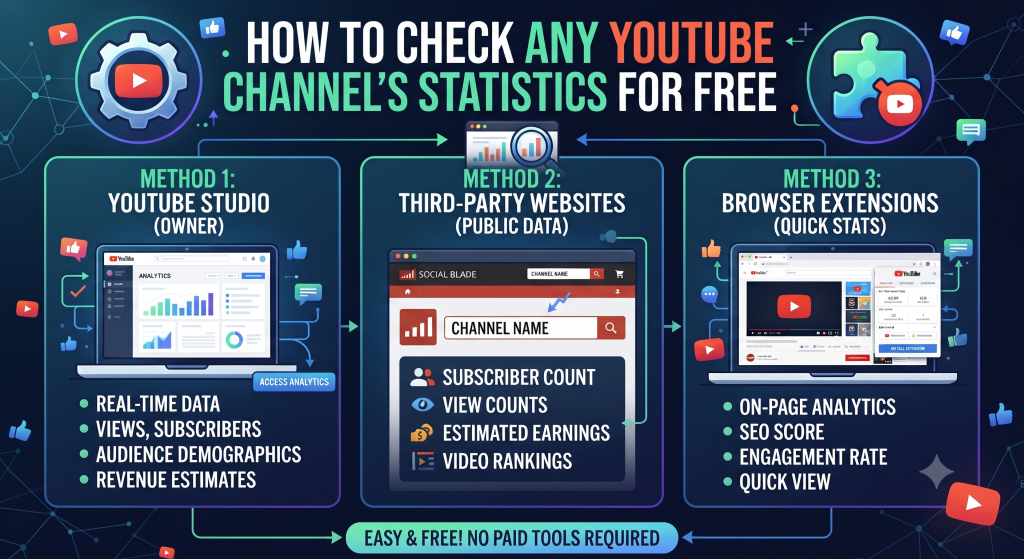
This is exactly what our free Channel Statistics Checker is built for. You paste in a channel URL or handle, and within seconds you get a clean breakdown: subscriber count, total views, average views per video, upload frequency, channel age, and an estimated earnings range — all pulled together in one place instead of scattered across tabs and menus.
No login. No sign-up form asking for your email before you can see results. No “create an account to unlock full data” wall halfway through. You paste the link, you get the numbers, you’re done.
Here’s how people typically use it in practice:
Scoping out competitors. Before you plan content in a niche, it helps enormously to know what the top 5–10 channels there actually look like under the hood — not just their sub count, but whether they’re growing, how often they post, and what their real average views look like. That tells you what “doing well” actually means in that space, so you’re not chasing an unrealistic benchmark or underestimating what’s possible.
Vetting a channel before a sponsorship or collab. If someone reaches out claiming huge reach, checking their actual average views per video (not just subscribers) tells you whether that reach is real or inflated by an old viral moment nobody remembers.
Tracking your own progress over time. Running your own channel through the checker every month gives you a quick pulse check — are your average views per video trending up, is your upload consistency actually holding, is your earnings estimate climbing in line with your views. It’s a fast way to sanity-check your own growth without opening YouTube Studio and digging through five different tabs.
Curiosity, honestly. Plenty of people just want to know how much a channel they watch regularly is making, or how a channel with seemingly modest numbers is somehow everywhere. That’s a completely normal reason to run a check, and it’s often how people discover the tool in the first place.
A Quick Example of Why Context Matters
Say you pull up two channels. Channel A has 800,000 subscribers. Channel B has 120,000. On the surface, Channel A looks like the bigger win.
But when you check the actual stats, Channel A is five years old, hasn’t posted in eight months, and its last ten videos averaged 4,000 views each. Channel B is fourteen months old, posts twice a week, and its last ten videos averaged 60,000 views each.
Channel B is the one actually worth paying attention to — for a collab, for competitive research, for figuring out what’s working right now in that niche. Without checking the real stats, you’d have picked the wrong one based on subscriber count alone.
What the Estimated Earnings Number Actually Means
One thing worth being upfront about: earnings estimates on any free tool, ours included, are exactly that — estimates. YouTube doesn’t publish real ad revenue publicly, and actual earnings depend on factors no outside tool can see, like a channel’s specific ad rates, sponsorship deals, and audience location.
What you’re getting is a reasonable range based on typical CPM rates applied to view counts. It won’t be exact, but it’s genuinely useful for comparison purposes — if one channel’s estimate is consistently 5x another’s, that’s a meaningful signal even if neither number is perfectly precise.
Try It on a Channel Right Now
The fastest way to understand the value here is to just run it on a channel you already know well — maybe your own, maybe a competitor, maybe just something you’re curious about. You’ll immediately see numbers that a quick scroll through the channel page would never surface on its own.
Head to the Channel Statistics Checker, drop in a channel URL, and see the full picture in seconds. No account needed, no cost, no catch.
Visit our Channel Statistics Free Tools to analyse your channel